Every plan runs the same engine — the ledger, the member portal, base earning and rewards. Plans differ in headroom (how many members are enrolled and how many orders come in each month) and, where StickyTier has set it so, in which extras are included. The pricing page is the source of truth for both.
The plans
Each plan has a member limit and a monthly order limit. The current numbers and prices are on the pricing page — it reads the live price book, so it is always right. Prices are what the pricing page shows at the time you subscribe: changing a price later never reprices an existing subscriber, while changing a limit applies to everyone on that plan straight away.
- A member is anyone in your programme, whatever their state — paused members and members whose personal data you deleted still count. Only a duplicate that was merged into another member stops counting.
- An order is every live order we receive from your store or through the API in a calendar month (UTC), whether or not it earned anything. It counts by the day the order reaches us, not the date written on it. It counts from the day your programme started: order history you bring in — a CSV, or the optional import of Shopify orders from before you connected — never counts. The count resets on the 1st.
There is no seat limit on your team, and no cap on API keys or webhooks.
Features and your plan
Some features can be limited to certain plans — tiers, referrals, campaigns, boosts beyond the base rate, store credit, a custom rewards-page domain (the free hosted yourstore.yourclub.stickytier.com address, once it is on your account, comes with every plan), the landing page and email designers, points expiry, the API and webhooks, the cost planner, imports, the accounting close and bulk grants, comparison groups and second-admin approvals. A feature your plan does not include is not shown: its sidebar entry disappears, and its page, if you reach it by address, shows a locked panel naming the plan that has it.
The Hindi rewards page is free on request, whatever your plan. It is not part of any plan: contact StickyTier support and we switch it on for your store.
Your data exports are on every plan. The ledger, member and referral exports on Finance (under Advanced in the sidebar) are never limited by plan, and they stay available if your plan is cancelled or unpaid — that is how your data comes back to you.
Nothing is deleted when a plan loses a feature. Tiers, campaigns, templates, domains and keys are kept; the feature is paused (tiers stop being evaluated and tier rates stop applying, campaigns pause, category, segment and action boosts stop paying, API calls answer 403 plan_restricted, webhook deliveries pause) and everything comes back the moment the plan includes it again. Balances, rewards and the rewards page keep working, and a domain that was already verified keeps serving so members' links do not break — but members stop seeing what the plan no longer includes: tiers, boosts, referrals and anything about expiry disappear from their pages and emails. While expiry is off nothing expires; when it comes back, members get at least 30 days' notice, with reminders, before anything lapses (see Points expiry).
The trial
Every programme starts with a free trial when you choose a plan — its length is on the pricing page. The billing page shows Free until and the date while it runs. When it ends the plan simply carries on and the charge appears on your Shopify invoice — there is no separate card to add.
One trial per programme, ever: cancelling and resubscribing does not restart it. If you switch plans mid-trial, the remaining days carry over.
A plan is required
A programme runs only while it has an active plan or a running trial. Without one — a new install that has not chosen a plan yet, a subscription that was cancelled or declined, or a payment that failed — the programme is switched off:
- the admin shows only plan choice;
- your rewards page and storefront block show members a “paused” notice;
- orders do not earn, rewards cannot be spent, and member emails stop;
- API calls answer
402 payment-required.
Every balance is kept. Choose a plan and the programme switches back on as soon as Shopify confirms it; recent orders placed while it was off are credited then. Switching from one paid plan to another never switches it off — see below.
A complimentary plan
StickyTier sometimes gives a programme a plan at no charge until a date — for a launch partner, for example. While it runs, the programme has that plan's features and limits, nothing is charged, and Plan & billing shows Complimentary — free until the last day. The owner gets an email a week before it ends; choose a plan by then to keep the programme running, or it is switched off like any programme without a plan (see A plan is required). In the Shopify app, plan choice appears in that last week.
Changing or cancelling
Plan changes happen inside the StickyTier app in your Shopify admin, under its Billing tab: pick a plan and approve the new price on Shopify's page. Your current plan keeps running until you approve — if you close Shopify's page without approving, nothing changes and the Billing tab offers the approval again. Once approved, Shopify replaces the old subscription: an upgrade takes effect straight away, a cheaper plan from your next billing date. Cancel subscription is on the same tab and asks you to confirm first: cancelling switches the programme off at once (balances are kept, and choosing a plan again switches it back on), and a trial that was running does not start again. Uninstalling the app cancels it too. Only the store's account owner, or a teammate with the Owner or Admin role, can choose, change or cancel a plan.
Choosing or changing a plan is also how you accept StickyTier's Terms of Service, Data Processing Agreement and Refund policy — the line under the plan buttons links to each. When those documents change, a banner asks an owner or admin to accept the new version; nothing is locked in the meantime.
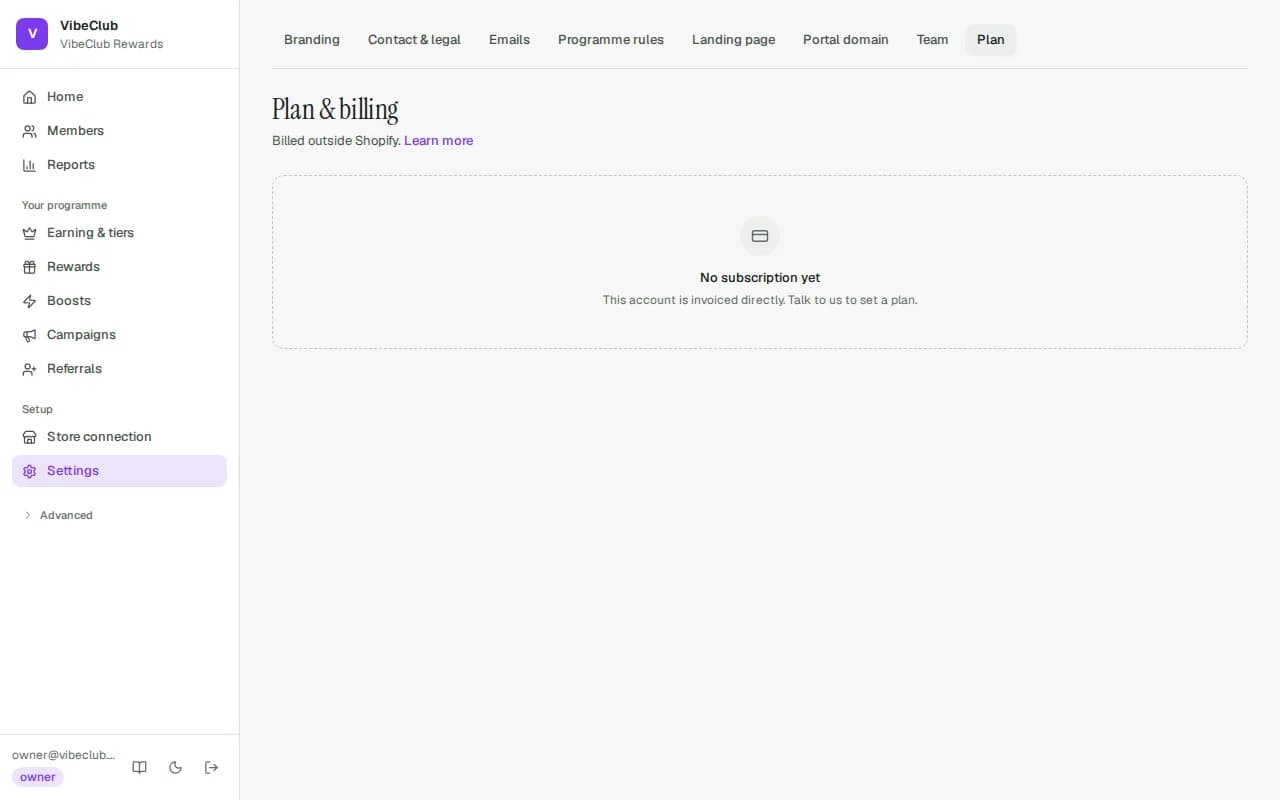
The Settings → Plan page on stickytier.com shows your plan, usage and history but has no plan buttons; it sends you to the Shopify app to change plan.
When you pass a limit
Going over a limit on a plan you pay for never switches your programme off. Members already in your programme keep earning and redeeming as normal — orders keep earning, balances stay, rewards stay spendable, the portal stays up. What changes is who can join, and what your team may do:
| Situation | What happens |
|---|---|
| At the member limit | New sign-ups pause straight away once the count reaches the limit — joining from your rewards page, automatic sign-up from a Shopify customer account, and adding members through the API (POST /v1/members answers 409, customer.created events are refused) — until you upgrade. Shoppers see "New sign-ups are paused for this programme right now". Existing members are untouched, and an order from a shopper who has not joined yet still earns, held for them. A bulk import that would cross the limit is refused with the number it would reach. |
| Over the monthly order limit | Orders keep earning and members notice nothing. A banner shows the date your grace period ends (7 days after crossing, unless StickyTier has set it differently); after it, your team cannot add rules, raise earning rates, give manual credit or import until you upgrade or the count resets on the 1st. If StickyTier has switched this enforcement off, nothing pauses. |
The banner at the top of every admin page says exactly which of these applies, and links to Plan & billing. A cancelled subscription or a failed payment is different — see A plan is required.
Who can see this
Owners and admins reach it under Settings → Plan; Finance and Analyst roles see Plan & billing under Advanced in the sidebar. See Team & roles.