Invite as many teammates as you like — plans have no seat limit — and give each one only what they need. Everyone signs in the same way: their email, a 6-digit code, no password.
The roles
| Role | What they can do |
|---|---|
| Owner | Everything, including adding or removing other owners. |
| Admin | Everything except handing over ownership. |
| Marketing | Boosts, tiers, rewards, campaigns and the cost planner; sees members and imports (an owner or admin confirms any import that adds balances or counts toward tiers). Suits most people who run the programme. |
| Finance | Reports, exports, the plan and billing page; approves larger balance changes. |
| Customer support | Looks members up and fixes their balances (large changes may wait for approval). |
| Support lead | Customer support, plus approving larger balance changes. |
| Developer | The Developers page: creates, rotates and revokes API keys, manages webhooks and wipes test data. Nothing else beyond the dashboard. |
| Analyst (view only) | Home, members and finance, read-only. |
| Viewer (overview, read-only) | Home, Reports, Boosts and Import data — all read-only. |
The sidebar shows each person only the sections their role can use. Settings, Team, the store connection and the activity log are owner/admin only.
Inviting someone
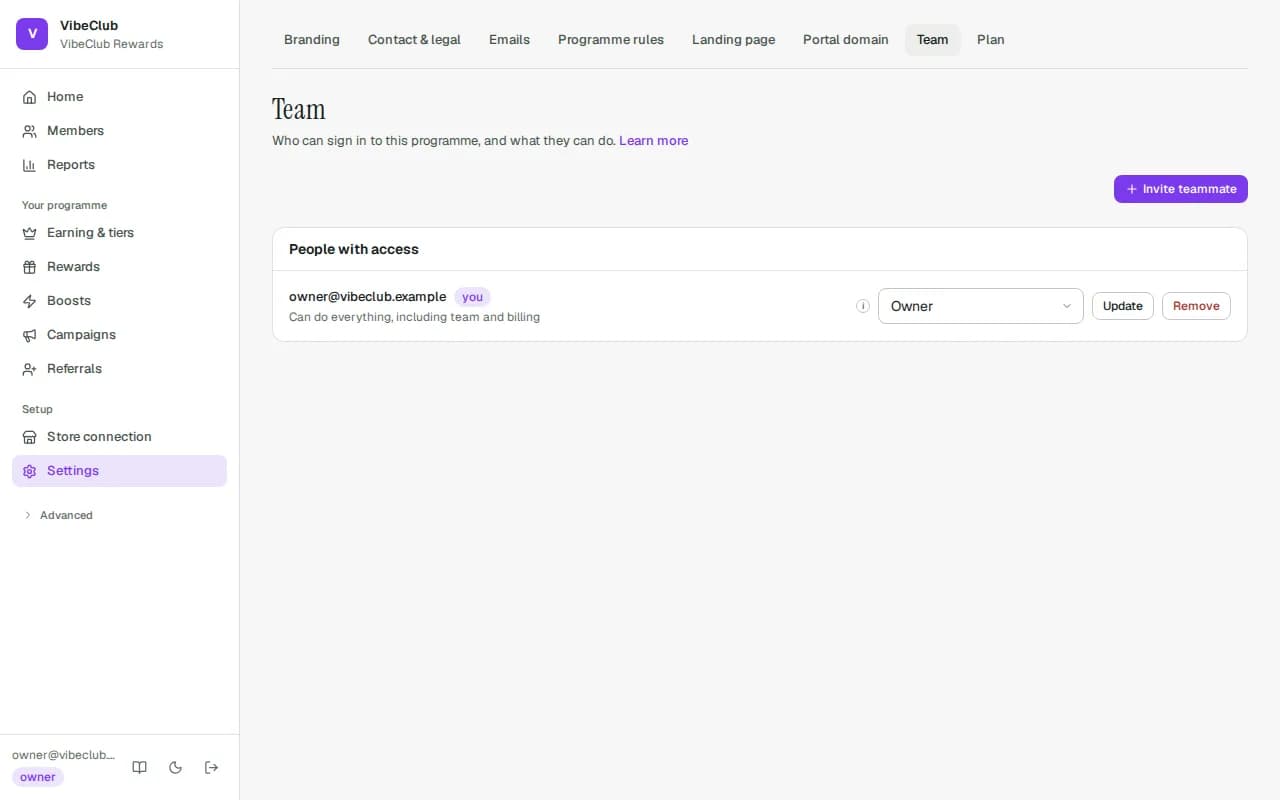
Settings → Team → Invite teammate: their Email and a Role (Marketing is preselected), then Invite. Then tell them to sign in at your admin address — we do not send an invitation email. When they sign in they see the invitation and press Accept (or Decline). Until they accept they have no access and the programme does not appear as theirs.
A Shopify staff member who opens StickyTier from your Shopify admin and has a pending invitation is accepted automatically; the store's Shopify owner is admitted as an owner without an invitation.
Changing and removing
Pick a new role next to a name and press Update — it applies immediately. Remove cuts access at once; nothing they did is undone, and their changes stay in the activity log.
How long a sign-in lasts
A sign-in lasts 7 days at most, and ends sooner if the admin isn't opened for 24 hours. Then you enter a new code from your email. Opening StickyTier from your Shopify admin signs you straight back in.
Lost a laptop, or signed in on someone else's computer? Click your email address at the foot of the sidebar and press Sign out everywhere. Every device signed in as you is signed out on its next click, in every programme you belong to. Nothing else changes. Opening StickyTier from the Shopify admin still signs you straight back in, so if your Shopify login itself may be compromised, change its password (or, for a staff member, remove their access) in Shopify as well. If a teammate can't do this themselves, for example after they leave, Remove them from the team. That cuts their access at once. Or ask StickyTier support to sign them out everywhere.
Safeguards
- Approvals — with the safeguards on, generous changes and large balance moves wait for a second person; the requester can never approve their own. See Approvals.
- Re-check sign-in for risky actions (minutes) (Settings → Programme rules, under Advanced) — deciding an approval, restoring a programme version, pausing the programme, loosening these safeguards, deleting a member's personal data and splitting a member merge then need a sign-in within the last N minutes. It is off (0) until you set it — except that loosening these safeguards always needs a recent sign-in: within your window, or the last 15 minutes while it is 0.
- Changes carry the name of the person who made them — see the activity log.