A campaign is a dated wrapper around one or more boosts: the boost says what members get, the campaign says when, for whom, and how much in total. Use one for a festival weekend, a launch, or a category push — anything with a start, an end and a budget you do not want to overrun. For extras that run all the time, use a boost on its own.
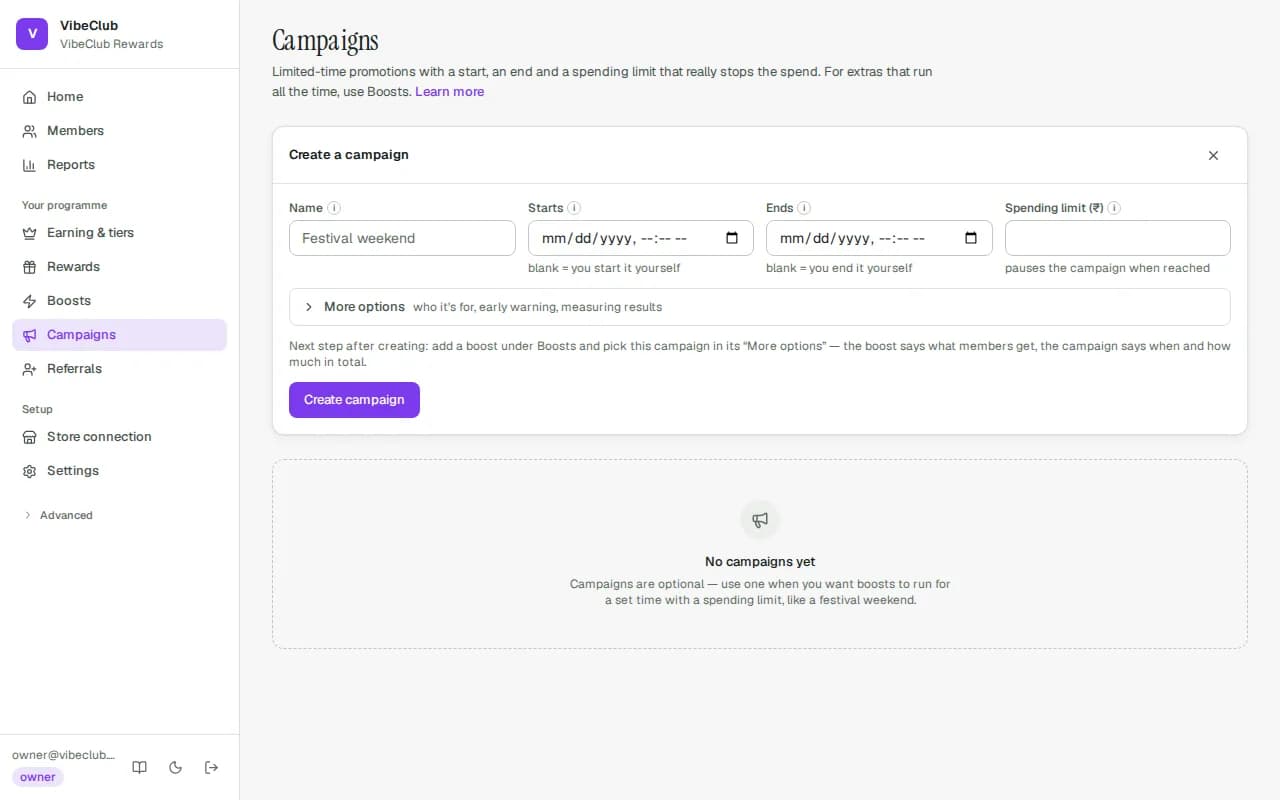
Create one
Campaigns → New campaign, then Create campaign. Four fields do the work:
- Name — for your lists and reports; members never see it.
- Starts and Ends — leave either blank to start or end it yourself with the buttons.
- Spending limit (in your store's currency) — once the campaign has given out this much, it pauses itself. Blank means no limit.
Under More options: Who it's for (Everyone, First-time buyers, Regular customers or Customers who stopped buying — "stopped" means no order in 180 days), Only from tier (0 = all members), Warn me at (an alert, the campaign keeps running), Comparison group (%) (hold back up to half the members so you can measure the effect — see Change governance), and a Report label (made from the name if blank).
Attach a boost
A campaign with no boost does nothing. Go to Boosts, create or edit one, open More options and set Part of a campaign. The boost then earns only while the campaign is running, only for the campaign's audience, and only within its budget. One campaign can carry several boosts.
Start, pause, end
Each campaign has a status: draft, running, paused or ended.
- Start (or Resume) makes it running. Dates still apply — a running campaign with a future start earns nothing until then. If your programme asks for a second person to approve changes that give members more, starting or resuming waits under Approvals until someone else approves it.
- Pause stops earning without losing anything; resume whenever.
- End is final. An ended campaign cannot be restarted — create a new one. Points already earned stay.
The line under each campaign shows the dates, issued ₹X of ₹Y hard budget against the limit, the comparison-group share and how many boosts are attached.
How the limit works
"Issued" counts every earn from the attached boosts that was not rejected or reversed. When an order would take issued past the limit, that order gets the remainder (not nothing), the campaign flips to paused, and an entry lands in the activity log. The Warn me at amount raises an alert at that point and changes nothing else.
Good to know
- Creating a campaign never waits for approval — a draft gives nothing away. Starting or resuming one does, when second approval is on; so may publishing an attached boost, if it raises what members get. Pausing and ending never wait.
- Creating or starting a campaign needs an active plan; pausing and ending always work. See Plan & billing.
- There is no separate campaign report yet. Use the issued figure on the campaign row, the activity log, and the ledger export from Analytics & finance.