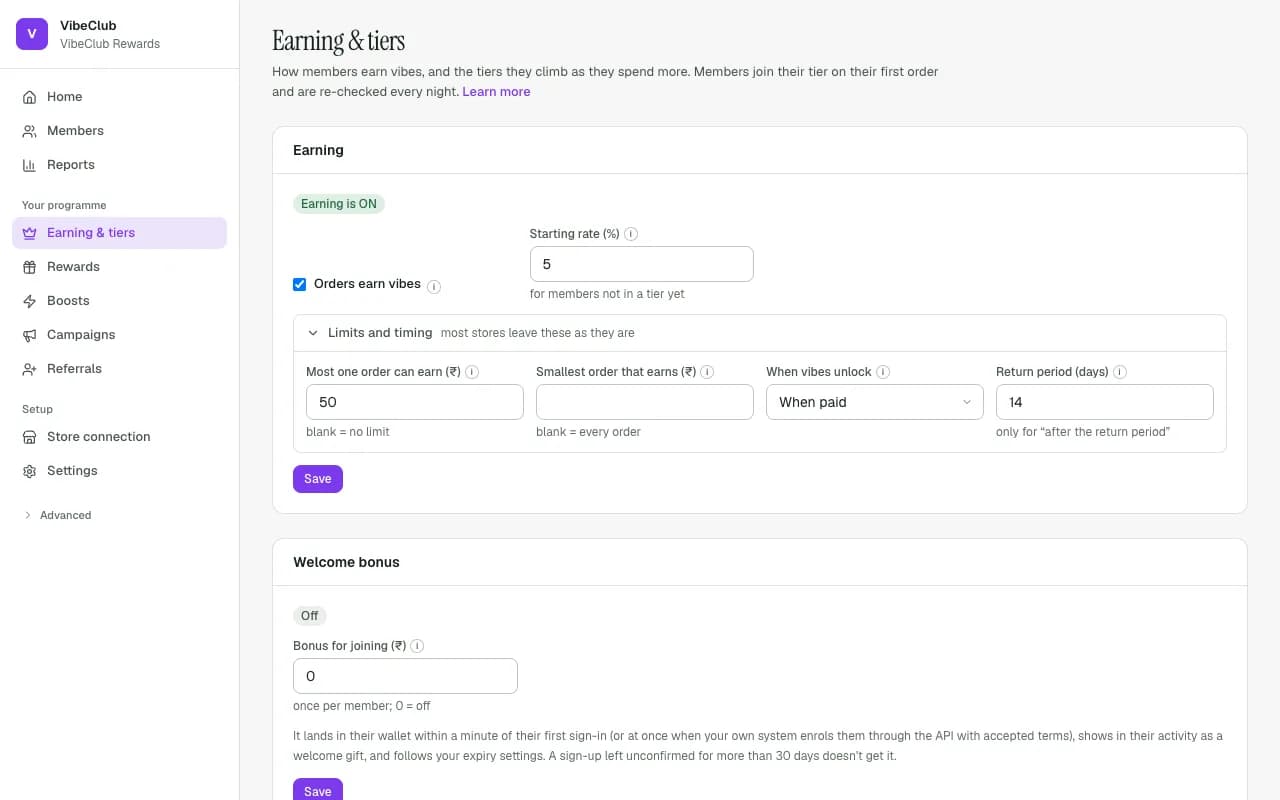
Tiers live on Earning & tiers, under the programme's base Earning card. Add one with New tier, then Create tier; change one later with Edit and Save changes.
Structure
Up to 10 tiers. Each tier qualifies on spend, coins earned and/or orders placed — one requirement or several, combined as Must meet all of them or Any one is enough — counted over The last 12 months (the default), This calendar year, All time or A custom number of days. Your first tier can have a spend of 0: every member starts there.
Spend and orders include only paid orders. A cash-on-delivery order starts counting once Shopify marks it paid, not when it ships. Refunds come off an order's spend, and a cancelled order does not count at all.
Moving up and down
A new member is placed in their tier on their first order. After that, everyone is re-checked every night: members who now qualify for a higher tier move up, and members who no longer qualify first get the tier's Days to keep the tier (30 by default). When that runs out they drop at most one tier at a time, never straight to the bottom.
Automatic placement is on by default
New programmes start with Place members into tiers automatically switched on, under Settings → Programme rules in the Tiers card. Leave it on. If you switch it off, nobody is placed into a tier or moved between tiers any more, and a programme whose Starting rate (%) is 0 then earns nothing at all — the Earning & tiers page warns you when that happens.
Per-tier earn rates
Each tier has its own percentage back (the field is named after your points, for example VibeCoins back (%)), which replaces the programme's Starting rate (%) for its members. Under Earning options a tier can also have its own unlock timing, and can choose whether Cash on delivery orders earn. For offers that only some tiers get, scope a boost with a minimum tier (see Earning rules).
Perks your storefront can read
Under Perks each tier can offer Free shipping, Priority delivery, Priority support, Early access, a Free gift (with a Gift min order), Extra return days, and any Other perks you type in. Members see them on their rewards page. StickyTier itself enforces only the extra return days — earnings unlock later to match the longer return period. Everything else is honoured by your store: the storefront theme blocks and the API's programme endpoint return each tier with its perks, so your theme can act on them.
With a Shopify store connected, each member's tier is also written onto their Shopify customer as a tag (StickyTier: Gold) and metafields — ready for segments, Flow, discounts and the Membership badge theme block. See Show tiers in your Shopify store.