How members may spend their points is set in one place: the Spending limits card under Settings → Programme rules. The first two are on the card; the rest are under More spending limits. The defaults — no minimum, no cap — suit most stores; each control exists for a specific problem.
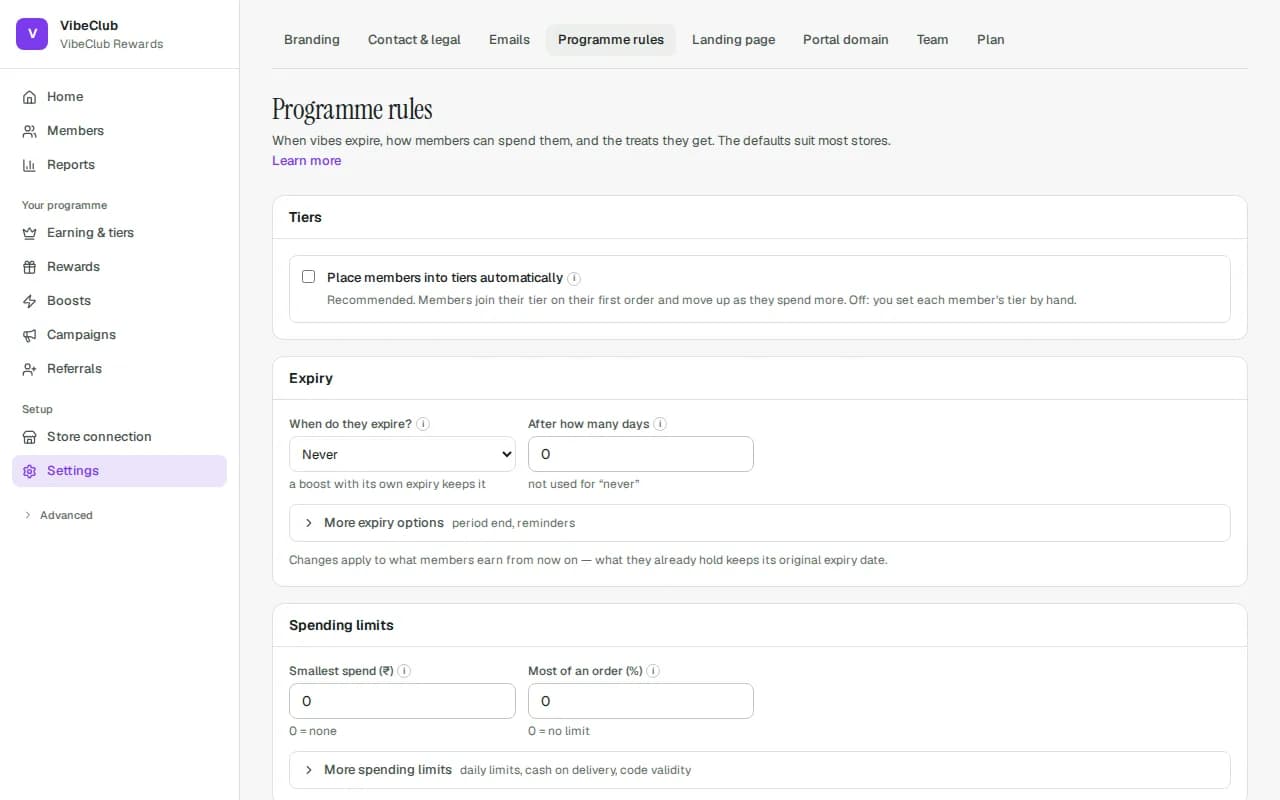
Spending limits
| Setting | What it does |
|---|---|
| Smallest spend | Members must redeem at least this value in one go. Stops lots of tiny redemptions. 0 = none. |
| Most of an order (%) (API only) | The largest share of an order that points may cover — 50 means at most half. 0 = no cap. Applied only to custom checkouts that redeem through the API. Not applied on your Shopify storefront or at a till yet. |
| Always paid in money (API only) | However many points they hold, this much of every order is paid with real money. Keeps an order from becoming entirely free. Applied only to custom checkouts that redeem through the API. Not applied on your Shopify storefront or at a till yet. |
| Uses per member per day | A daily cap on redemptions per member; a brake on abuse. The day resets at midnight in your programme's time zone. 0 = unlimited. |
| Unused codes at once | How many redemptions a member can have started but not finished at the same time — points are set aside for each. 0 = unlimited. |
| Codes last (hours) (API only) | How long a code issued through the API stays usable (default 72), including a voucher issued at a till. An unused code returns its points when it lapses. Codes from your rewards page and Shopify storefront last 90 days and are not affected by this setting yet. |
| Not on cash-on-delivery orders (API only) | COD orders cannot apply points. Useful because COD orders are refused at the door more often, which complicates refunds of spent points. Applied only to custom checkouts that redeem through the API. Not applied on your Shopify storefront or at a till yet. |
| Convert to store credit automatically | Off (recommended): members choose when to convert. On: released points turn into store credit on their own. |
Members see the smallest spend in plain words on your rewards page ("Redeem from ₹100 in VibeCoins upwards"). Most of an order, Always paid in money and Not on cash-on-delivery orders are not shown there, because a reward redeemed on your storefront does not apply them yet: its discount code is made before there is a cart to measure, and how the order is paid is only known after checkout. The rewards page tells members how long its codes last (90 days).
Where each control bites
- Rewards page and Shopify storefront — Smallest spend, Uses per member per day and Unused codes at once, at the moment the member redeems. Codes made here last 90 days; Codes last does not change that yet. Most of an order, Always paid in money and Not on cash-on-delivery orders are API only: Applied only to custom checkouts that redeem through the API. Not applied on your Shopify storefront or at a till yet.
- Custom checkouts through the API — all of them, provided the integration sends the cart total (for the share and the floor) and the payment method (for cash on delivery) when it asks for a quote or holds points. The hold lasts 15 minutes (by default) and releases itself if the order never completes.
- Vouchers issued at a till — the minimum, the daily cap and Codes last (a till has no cart to measure against).
Related settings on the same page
- Store credit — a card with an on/off switch, what 100 coins are worth in store credit, and optional smallest/largest conversion. Members convert with a slider on their rewards page (needs a connected store). See Rewards & perks.
- Rounding and Spend which first? under Advanced, in Fine print. Spending the soonest-expiring points first is the default and loses members the least — see Points expiry.
- Emergency stop (at the foot of the page) — Pause the whole programme stops all earning and spending at once, with a reason kept in the activity log. Nothing is lost; orders placed meanwhile earn when you resume.