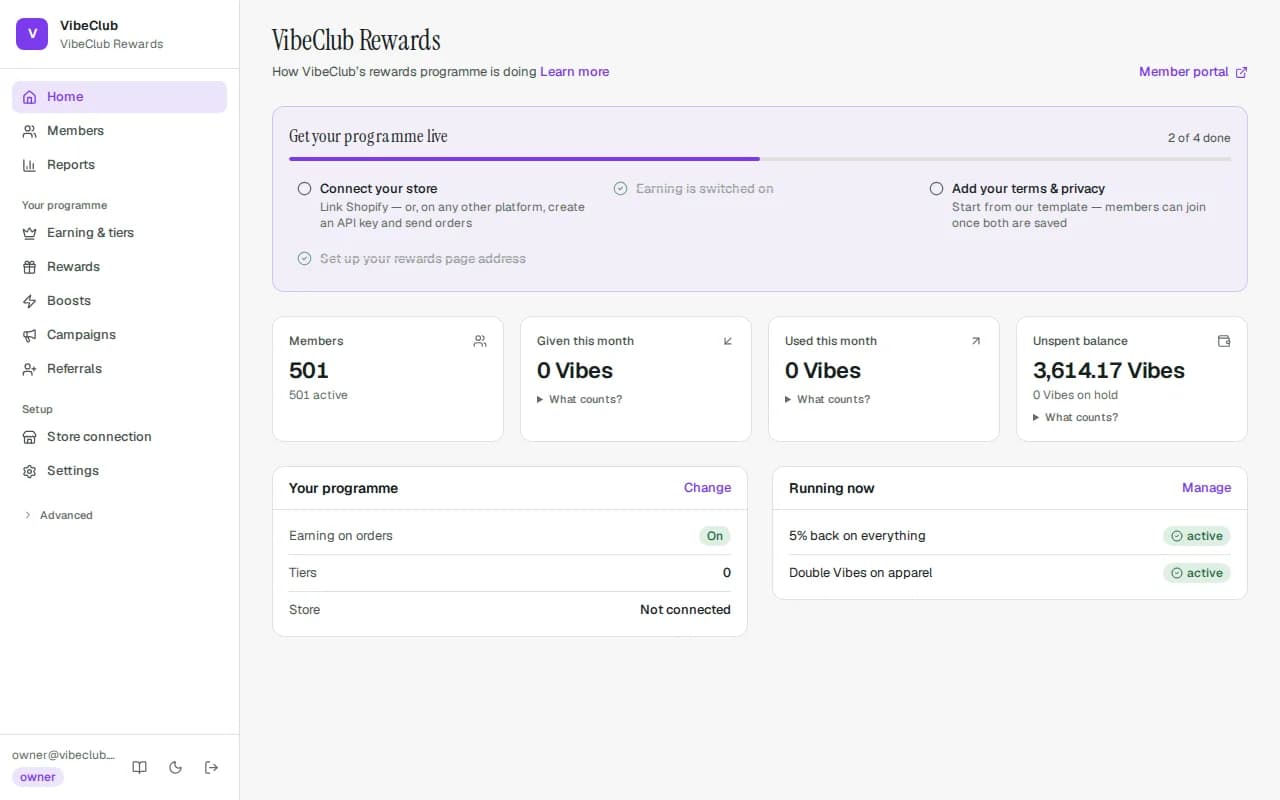
What you get on day one
A new programme comes ready-made: earning is on (2% back on every paid order), there are three tiers — Bronze, Silver and Gold at 2%, 3% and 5% back — and members are placed into the right tier automatically from their very first order. It runs in your store's own currency, and the tier thresholds are set in it. Every number is yours to change; nothing is locked — except the currency itself, once points exist (see Your programme's currency).
1 · Connect your store
Install StickyTier from the Shopify App Store and open it from your Shopify admin (Apps → StickyTier). That is the whole connection: there is no address to type and no second password. The first time you open it, your programme is built and connected, and you pick a plan — every plan starts with a free trial, billed through Shopify. From then on orders earn automatically, refunds take rewards back, and rewards turn into single-use discount codes. Customers are added with their first order — there is nothing to import. Choosing a plan is also where you accept StickyTier's Terms, Data Processing Agreement and Refund policy; the line under the plan buttons links to each.
Orders placed before you connected don't earn by themselves. To reward them, use the one-time past-order import — see Integrations & migration.
If StickyTier set up your programme for you before you installed, open the app while signed in to Shopify as the store's owner, with the same email as your StickyTier login — the store joins that programme automatically. Anything wrong with the connection later is repaired the same way: open StickyTier from your Shopify admin.
Publish your member terms
Shoppers can't join your programme until you publish programme terms and a privacy policy, because members agree to both when they join. StickyTier doesn't publish anything for you.
On Overview, open Review and publish your member terms. Both texts are pre-filled from a plain-language template that uses your programme's names and your support email. It is a starting point, not legal advice. Change anything that doesn't fit your store, then press Publish terms and privacy. Sign-ups open straight away. Nothing is saved until you publish. Until then, Overview shows Members can't join yet, and shoppers who try to join are told the programme isn't open yet.
To change the texts later, go to Settings → Contact & legal. Changes are versioned and logged with who made them. If you clear either text, sign-ups close again until you publish.
2 · Put it in your store
Shoppers can only join what they can see. On the Home checklist, Add the programme to your store opens your theme editor with the StickyTier header badge already switched on — press Save. Inside the Shopify app, the Overview tab has the same card with three buttons: Turn on the header badge, Add the rewards block to your home page (the Loyalty rewards block) and Add the membership badge to product pages (the Membership badge block); each opens the editor with the block dropped in. The checklist step ticks itself once shoppers start using it — opening the badge, the rewards block or your in-store rewards page.
Not on Shopify? Any store, till or app connects through the API: create a key under Developers → API keys & webhooks, send your orders as events, and redeem points at your own checkout. The developer quickstart takes about five minutes with a test key.
3 · Check what members earn
The main switch, the starting rate, your rewards and a view of your tiers are also on the Programme tab inside the Shopify app. In the full dashboard, Earning & tiers shows the main switch, the starting rate, and your tiers. Each tier needs just a name, the spend to reach it and the % back. Perks, Other ways to qualify and Earning options are folded away — most stores never open them. Then look at Rewards to choose what members can spend on: money off, percent off, free shipping, store credit and more.
4 · Make it yours
Settings → Branding controls everything members see: names, your reward currency's name, colours (checked for readable contrast automatically), logos, headline font, light or dark, and the card finish — Automatic, Matte, Metal, Gradient or Pattern — worn by every membership card, on your rewards page and inside your store. The preview shows the top of your join page with the card a new member will get. The member pages carry no StickyTier branding — it's your programme.
Then open Settings → Contact & legal and fill in your Support email, Programme terms and Privacy policy. Press Start from our template for a plain-language draft built from your programme's names, read it, adjust it and save. Members can join once both are in place — people must be able to read what they're agreeing to, so there is no way around this step.
The template's privacy policy names you as the business responsible for members' data, lists their rights under India's data protection law with your support email as the contact, and mentions only the member emails you have switched on — if you switch more on later, update the text. When we improve the template, that page asks you to review and re-save; your saved text is never changed for you.
5 · Open the doors
Look under Settings. If the tab reads Rewards page address, your rewards page is live from the start at its own address — for example yourstore.yourclub.stickytier.com, named after your store and programme. You can copy it (Copy address), open it, or choose your own name once (Choose your address); after that it is fixed unless you connect your own domain. Store sign-in, member emails and referral links all use it, so there is nothing to set up before you launch. Link to it from your store's menu and order emails.
Want your own address instead, like rewards.yourstore.com? On plans that include a custom domain, enter it under Add domain on the same page, create the one DNS record we show you, and press Verify — the secure certificate is set up for you. Once it is verified, members are sent there, and the hosted address (where you have one) keeps working. If you change the hosted name later, the old address redirects to the new one.
An address you add that isn't verified within 7 days is released, so nobody can reserve a domain they don't use — just add it again. If the address was used by a different StickyTier programme before, or another programme has added it without verifying it, we ask for one extra TXT record that proves the domain is yours (we show you exactly what to create). If it's live on another programme, contact support and we'll release it once you've shown you own the domain.
When you're ready for more
- Referrals — choose what the friend and the member each get under Referral rewards.
- Boosts — extra back on certain products, a first-order bonus, a reward for following you. See Earning rules.
- Campaigns — limited-time promotions with a spending limit that really stops the spend.
- Settings → Emails — switch on the member emails you want, add your email address so member replies reach you, and set your design. On plans with the email designer you can also verify your domain to send from your own address.
- Settings → Team — invite teammates; every role sees only what it needs.
- Everything else — Finance and its exports, the Cost planner, Import data, the Activity log and Developers — lives under Advanced in the sidebar.