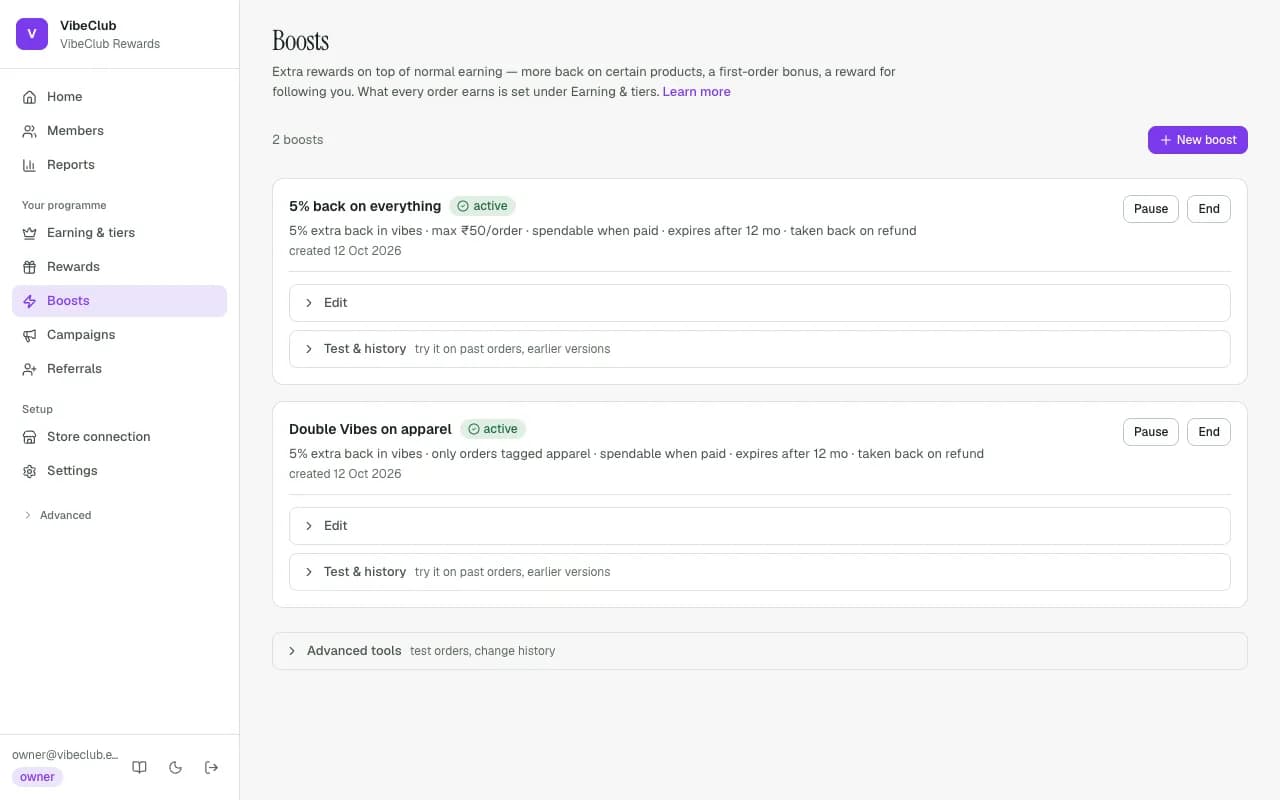
What every order earns — the main switch, the Starting rate (%) and each tier's rate — is set on Earning & tiers (see Tiers & benefits). Boosts are extra rewards on top: more back on certain products, a bonus for certain customers, or a reward for doing something. Add one with New boost, pick What kind of boost?, and press Save as draft; it earns nothing until you publish it.
Anatomy of a boost
A boost says: who earns, on what, how much, when it becomes spendable, and what happens on refunds. Boosts are versioned — Save changes as a draft creates a new version, and every ledger entry permanently records the version that created it, so historic earnings always trace to the exact configuration that produced them.
Rates and scopes
A boost's Extra back (%) is a percentage of the order value, added on top of what the member's tier (or the starting rate) already earns. Extra on certain products applies only to orders containing a product with one of your Product tags (great for double-points weekends on one collection); Extra for certain customers applies to a kind of shopper. Boosts stack: when several match one order, each contributes.
When coins become spendable
Six release timings for a boost, under More options:
- Immediately at order · When paid · When shipped · On delivery (from carrier delivery events) · After the return period (value stays pending until the Return period (days) closes — refunds inside it never touch spendable balance) · After you approve each one — each earn waits under Approvals until your team approves or rejects it, for high-touch programmes or suspicious segments.
The programme's own earning and each tier offer the first five; after you approve each one is for boosts only.
Customer segments
Point a boost at First-time buyers (acquisition), Regular customers, Customers who stopped buying (no purchase in 180 days — win-back) or Everyone, and optionally at members from a tier up (Only from tier: 2 means your second tier and above). Segments are evaluated per order from real history.
Rewards for doing something
Not every reward needs an order. On Boosts, choose New boost and Reward for doing something, then pick how members earn it:
- Follow or visit us — no developer needed. Choose the network (Instagram, Facebook, TikTok, YouTube, X, Pinterest or any other link), paste the
https://link and set the reward. Members see it under Ways to earn in their rewards app; tapping it opens your page and credits them. Networks can't confirm that someone really followed you — no loyalty app can — so the cost is capped instead: each member can claim each action once, ever (a new version of the boost doesn't pay again), at most 3 of these in any 24 hours, only once they've joined and signed in, and the Total budget you set is a hard stop. - Something your site reports — reviews, quiz answers, anything your own systems know about. Your developer sends the action to StickyTier through the API, so this needs a plan that includes the API; the option explains that when it doesn't. Choose Once per member or Every time under How often.
Boosts other than the base earning — products, customers and actions — are a plan feature; see Plan & billing.
The Welcome bonus for joining lives on Earning & tiers, and birthday treats in Settings → Programme rules — members without a birthday on file are nudged to add one under Ways to earn.
Caps, budgets, expiry, refunds
Most per order and Most per member per day clamp a boost's earnings at write time, and Smallest order leaves small orders out. A purchase boost's Total budget is a planning figure checked when you publish (the 12-month replay warns if it would run out); a campaign's budget and a follow or visit us reward's budget are hard stops that end issuance when used up. Expires after (months) (12 by default) dates what the boost pays out, if your plan includes expiry. If the order is refunded either takes the value back or lets the member keep it. Clawback follows what was refunded: returning one item takes back the points that item earned, and a money-only refund takes back the same share of the order's points. A cancelled order takes back what is left. However refunds and cancels arrive, and in whatever order, they never take back more than the order earned. If the member has already spent those points, whatever can't be taken from their balance is recorded as a recovery case for you to decide on, and their balance is never pushed below zero. If a refund arrives while the points are still pending, the pending amount goes down and nothing is taken from the spendable balance.
Orders placed before your store was connected do not earn when Shopify later updates them (for example when they ship). To reward past orders, use the one-time past-order import.