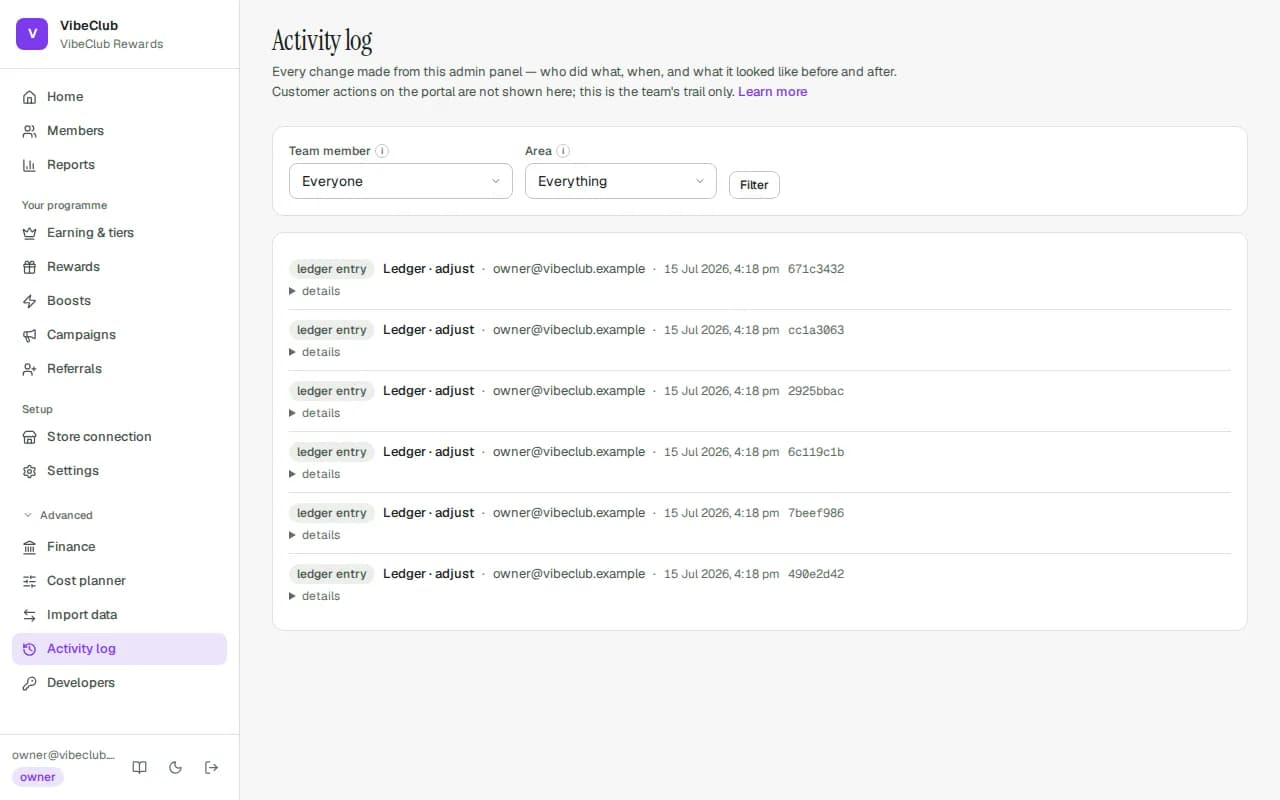
Changes made from the admin are logged here, with who made them, when, and what they looked like before and after where recorded. Customer actions on the portal are not here; this is the team's trail.
What is recorded
Publishing, editing and rolling back boosts; tiers; rewards; campaigns starting, pausing and ending (including when a campaign paused itself on its budget); manual balance changes; approvals and rejections; member merges, pauses and privacy actions; settings, branding, legal text, domains; team invitations, role changes and removals; API keys and webhook endpoints; imports, migrations and exports; the emergency stop.
If StickyTier staff look at or act on your programme, that is written into your log too — as Platform · … entries with the staff member's email under details — so you never have to take our word for it.
Reading it
Each line shows the area (rule, tier, member, tenant, api key…), the action, who did it, when, and a short id. Open details to see the before and after. Filter by Team member or Area and press Filter; Load older activity pages back 100 at a time.
Someone who has since been removed from the team appears as former team member. Automated work — expiry sweeps, nightly tier evaluation, the stale-order check — carries no person and is not listed here.
How long it is kept
For as long as the programme exists. The activity log is deliberately excluded from every automatic clean-up; it is the evidence that everything else was done properly, and a dispute six months later is exactly when it is needed. It is deleted only with the whole programme — see Closing your account.